
If you like playing Dream League Soccer with a strong club identity, Manchester United’s 2019–20 kits are hard to ignore. They combine tradition, simplicity, and visibility—three things that matter a lot in DLS 26.
This post is for players searching for 512×512 Manchester United kits for DLS 26, along with a proper Manchester United logo download for DLS 26 and clear instructions on how to import everything correctly.
How Manchester United Kits Feel in DLS 26
Not every real-life kit looks good in-game—but United’s 2019–20 designs translate very well into Dream League Soccer 2026.
Why?
- Strong colors stay clear during fast gameplay
- Simple layouts avoid texture blur
- Numbers and names remain readable in all stadiums
That’s why many players still use these kits even in newer DLS versions.
Manchester United Logo Download for DLS 26
To complete your team setup, you’ll need the Manchester United logo download for DLS 26.
Recommended logo details:
- Size: 512×512 pixels
- Format: PNG
- Background: Transparent
Using the correct size prevents logo distortion in menus and match screens.
Manchester United Logo
https://i.imgur.com/iSCgujY.pngHow to Import Manchester United Logo in DLS 26
Many users search for how to import the Manchester United logo in DLS 26. Here’s the quick method:
- Copy the Manchester United logo URL (512×512)
- Open Dream League Soccer 2026
- Go to My Club → Customize Team → Edit Logo
- Paste the URL and confirm
That’s it—the logo appears instantly.
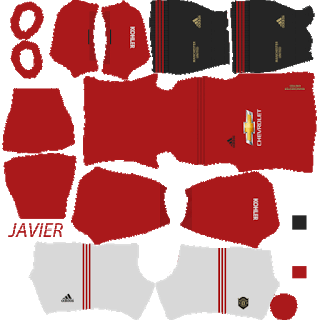
Manchester United 2019–20 Home Kit (512×512)
The home kit features the classic red base with dark detailing, giving it a bold but clean appearance. In DLS 26, this kit feels powerful and instantly recognizable.
Players usually choose it because:
- Red stands out clearly on the pitch
- It matches well with modern stadium lighting
- It feels perfect for career mode and league matches
Using the 512×512 format ensures the kit fits properly without stretching.
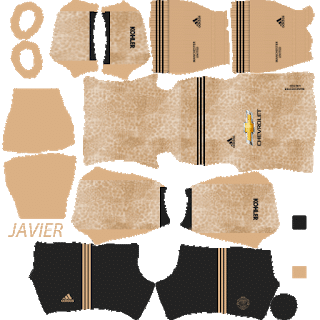
https://i.imgur.com/mu4gxCA.pngManchester United Away Kit 2019–20 – DLS 26
The away kit offers a calmer tone compared to the home version. It’s especially useful when you’re playing against teams with bright or red-based kits.
This kit works best for:
- Away fixtures
- Night matches
- Online games where contrast matters
It’s fully compatible with DLS 26 visuals.
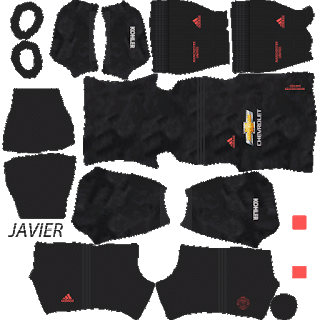
https://i.imgur.com/sIxzPdu.pngManchester United Third Kit
Some 2019–20 sets include a third kit with a more modern look. This is often used by players who like rotating kits during long seasons.
Good situations to use it:
- Cup matches
- Special tournaments
- Gameplay recording for YouTube or Shorts
All versions follow the 512×512 Manchester United kits for DLS 26 standard.
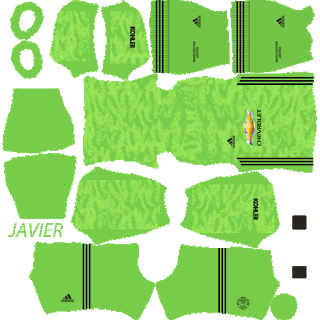
https://i.imgur.com/xYNAhdo.pngGK Home Kits
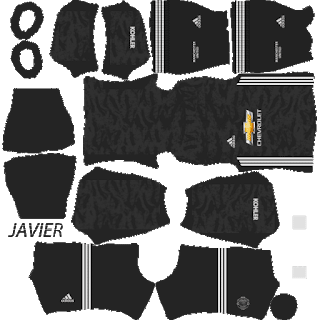
https://i.imgur.com/K9oBqnd.pngGK Away Kits
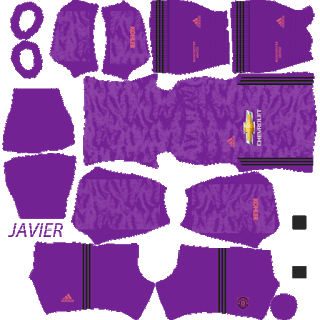
https://i.imgur.com/Uzi8E9H.pngGK Third Kits
https://i.imgur.com/v4PTAP3.pngHow to Import 512×512 Manchester United Kits in DLS 26
To use the Manchester United 2019–20 kits in DLS 26:
- Copy the kit URL from your website or app
- Open Dream League Soccer 2026
- Go to My Club → Customize Team → Edit Kit
- Paste the URL and save
Repeat the steps for home, away, and third kits if available.
The Manchester United 2019–20 512×512 kits for Dream League Soccer 2026 are a solid choice if you want a classic club look with reliable in-game clarity. When combined with the Manchester United logo download for DLS 26, your team setup feels complete and polished.
Please can you make for chelsea
http://sakib.pro/fc-chelsea-kits-dls-20/
please can u make for Paris SG
http://sakib.pro/psg-logo-kits-for-dls-20/
please make for wolves
Plz make one for FiFA FUT kit ,like the dls19 FiFA 20 kit u made
http://sakib.pro/fut-20-kits-for-dls-20/
plz make one for man u 2009-10
Please make for Bayern Munich
http://sakib.pro/fc-bayern-munich-kits-dls-20/
Tolong buatkan kit Borussia Dortmund
Can you please do MEHEDI FC KIT AND LOGO Stylish please please😭😭😥
Bro please make the new psg jordan kit.
Sirs, please can you update Man. Utd. jersey.
DLS 2019
European
I have my own logo how to import it