
The Real Madrid 2019–20 season kits are among the cleanest and most elegant designs ever used by the club. When applied in Dream League Soccer 2026, these kits look premium, realistic, and perfectly suited for modern gameplay visuals.
If you are searching for 512×512 Real Madrid kits for DLS 26 or a complete Real Madrid logo download for DLS 26, this guide covers everything—from kits to logo import steps.
Why Real Madrid Kits Look Premium in DLS 26
The Real Madrid kits are known for simplicity and balance. In Dream League Soccer 2026, this type of design performs especially well because:
- White kits reflect stadium lighting naturally
- Minimal patterns reduce blur during fast movement
- Player names and numbers remain sharp
That’s why Real Madrid kits are widely used by competitive and casual DLS players.
To fully complete your setup, you’ll also need the Real Madrid logo download for DLS 26.
Recommended logo specifications:
- Size: 512×512 pixels
- Format: PNG
- Background: Transparent
Using the correct logo size ensures it displays properly in menus, scoreboards, and match screens.
Real Madrid Logo Download for DLS 26
https://i.imgur.com/Vz2HtKe.pngHow to Import Real Madrid Logo in DLS 26
Many users ask how to import Real Madrid logo in DLS 26. Follow this simple method:
- Copy the Real Madrid logo URL (512×512)
- Open Dream League Soccer 2026
- Go to My Club → Customize Team → Edit Logo
- Paste the URL and confirm
The logo will apply instantly.
Real Madrid 2019–20 Home Kit (512×512)
The home kit features the iconic all-white design with subtle gold detailing. In DLS 26, this kit feels extremely clean and professional.
Why players love it:
- Strong visibility on all pitch types
- Classic club identity
- Perfect for career mode and league matches
Using the 512×512 format ensures proper scaling and no texture loss.
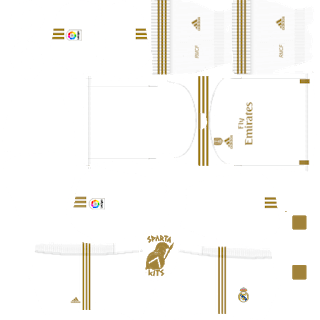
https://i.imgur.com/j5hw86i.pngReal Madrid Away Kit 2019–20 – DLS 26
The away kit introduces a darker tone, making it a great alternative when playing against light-colored opponents.
Best use cases:
- Away league fixtures
- Night matches
- Online games where contrast matters
This kit also follows the 512×512 Real Madrid kits for DLS 26 standard.
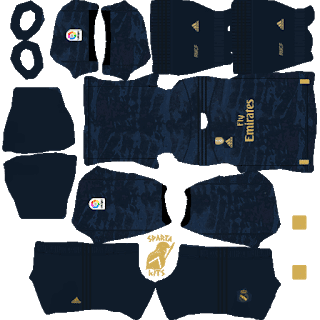
https://i.imgur.com/2Xwmw8i.pngReal Madrid Third
Some 2019–20 sets include a third or alternate kit, often used for variety.
Players use the third kit when:
- Recording YouTube gameplay
- Playing cup matches
- Wanting a different visual without changing teams
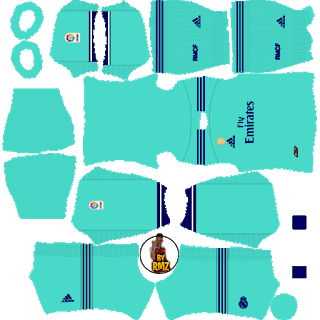
https://i.imgur.com/XbLzPLm.pngReal Madrid GK
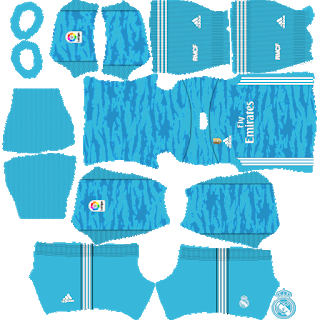
https://i.imgur.com/TeOok75.pngRM GK Away
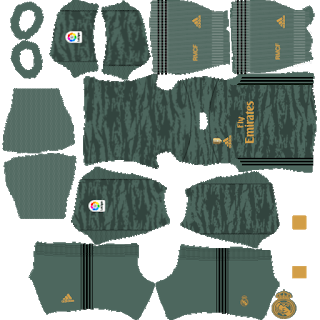
https://i.imgur.com/pJKrZGq.pngRM GK Third

https://i.imgur.com/psjd3FL.pngHow to Import 512×512 Real Madrid Kits in DLS 26
To use the Real Madrid 2019–20 kits in DLS 26:
- Copy the kit URL from your website or app
- Open Dream League Soccer 2026
- Navigate to My Club → Customize Team → Edit Kit
- Paste the URL and save
The Real Madrid 2019–20 512×512 kits for Dream League Soccer 2026 are perfect for players who want a classic, elite club look with excellent in-game clarity. When combined with the Real Madrid logo download for DLS 26, your team setup feels complete and professional.
Pls Manchester City Jersey
http://sakib.pro/manchester-city-2019-20-kits-dls-20/
plz sakib vaiya dortmund er jersey banao!!
bro this kit is crazy good
Real Madrid 2017 and 2018 kit please