
The FC Barcelona 25/26 kits mark a new era for the club, blending tradition with a modern football identity. For Dream League Soccer 2026 players, these kits are already among the most searched and most used because they look sharp, load cleanly, and match perfectly with DLS 26’s upgraded graphics.
If you’re looking for 512×512 FC Barcelona kits for DLS 26, a complete Barcelona logo download, and a clear guide on how to import everything, this post is built to give you exactly that with an installation Tutorial.
Why Barcelona 25/26 Kits Are Perfect for DLS 26
Not every new-season kit performs well in-game. The FC Barcelona 25/26 designs stand out in Dream League Soccer 2026 because they are:
- Designed with strong color separation
- Clean enough to avoid blur during fast gameplay
- Visually balanced for both day and night matches
That combination makes them ideal for career mode, online play, and recorded gameplay.
FC Barcelona Logo Download for DLS 26
A kit setup is incomplete without the correct logo. That’s why many users also search for FC Barcelona logo download for DLS 26.
Recommended logo specs:
- Resolution: 512×512 pixels
- Format: PNG
- Background: Transparent
Using the proper logo size ensures it displays correctly in menus, scoreboards, and match intros.
https://i.ibb.co.com/d0qBmTC5/Logo-barcelona.pngHow to Import FC Barcelona Logo in DLS 26
If you’re wondering how to import the Barcelona logo in DLS 26, follow these steps:
- Copy the FC Barcelona logo URL (512×512)
- Open Dream League Soccer 2026
- Go to My Club → Customize Team → Edit Logo
- Paste the URL and confirm
The logo will be applied instantly.
FC Barcelona 25/26 Home Kit (512×512)
The home kit stays true to Barcelona’s identity while introducing a refreshed pattern for the 25/26 season. In DLS 26, this kit looks vibrant without being distracting.
Why players prefer this kit:
- Instantly recognizable on the pitch
- Numbers and names remain crystal clear
- Looks premium in high-detail stadiums
Using the 512×512 Barcelona kits for DLS 26 format ensures zero stretching and maximum sharpness.

https://sakibpro.com/wp-content/uploads/2026/02/Fc-Barcelona-Home-kit.pngFC Barcelona 25/26 Away Kit – DLS 26
The away kit offers a clean contrast to the home colors, making it a smart choice for away fixtures and competitive matches.
Best use cases:
- Playing against dark home kits
- Night matches with heavy shadows
- Online matches where visibility matters
This kit is optimized specifically for DLS 26 lighting and player models.

https://sakibpro.com/wp-content/uploads/2026/02/Fc-Barcelona-Away-Kit.pngFC Barcelona 25/26 Third Kit
The third kit is where Barcelona experiments most in the 25/26 season. Many players use it for variety or content creation.
Popular reasons to use it:
- Unique look for cups and tournaments
- Visual freshness during long seasons
- Great for YouTube thumbnails and Shorts
All versions follow the 512×512 FC Barcelona kits for DLS 26 standard.

https://sakibpro.com/wp-content/uploads/2026/02/Fc-Barcelona-Third-Kit.pngFc Barcelona 4th Kit

https://sakibpro.com/wp-content/uploads/2026/02/Fc-Barcelona-4th-Kit.pngGoalkeeper Kit

https://sakibpro.com/wp-content/uploads/2026/02/Fc-Barcelona-GK-Kit.pngGoalkeeper Away Kit
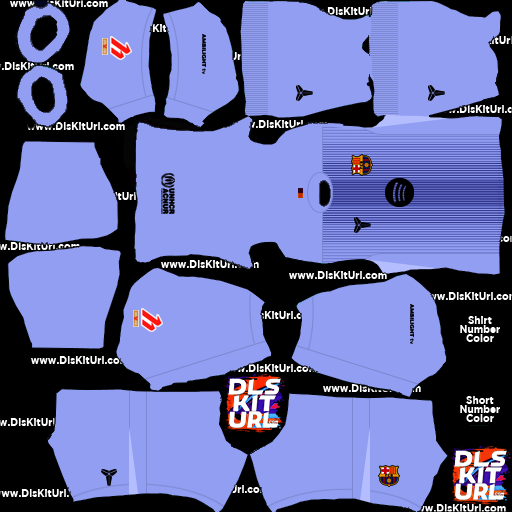
https://sakibpro.com/wp-content/uploads/2026/02/Fc-Barcelona-GK-Away-Kit.pngGoalkeeper Third Kit
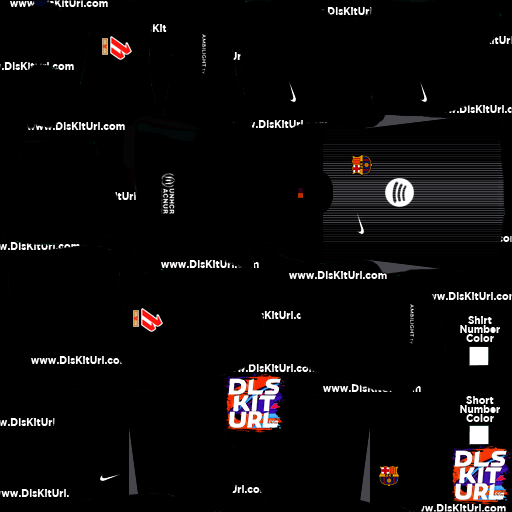
https://sakibpro.com/wp-content/uploads/2026/02/Fc-Barcelona-GK-Third-Kit.pngHow to Import 512×512 FC Barcelona Kits in DLS 26
To use the FC Barcelona 25/26 kits in DLS 26:
- Copy the kit URL from your website or app
- Open Dream League Soccer 2026
- Navigate to My Club → Customize Team → Edit Kit
- Paste the URL and save
Repeat the process for home, away, and third kits if available.
What’s Taking place i am new to this, I stumbled upon this I
have discovered It absolutely useful and it has
helped me out loads. I’m hoping to give a contribution & assist other users like its aided me.
Good job.
Please I need the kit it will help me to entertain the
Kit pro
Real Madrid
How do u get it 😉
How to edit logo in dls 2026
Best
Logos thanks